


Windows 11 Pro MAK 50 PC Activations License Key

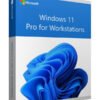
Original price was: $899.99.$199.00Current price is: $199.00.
<ul>
<li>✅ 100% Genuine Windows 11 Pro MAK License</li>
<li>✅ 50 PC activations</li>
<li>✅ Digital delivery within 0–2 hours</li>
<li>✅ Lifetime activation</li>
<li>✅ Ideal for IT resellers and businesses</li>
<li>✅ Volume activation — no internet required per PC</li>
</ul>


Windows 11 Pro MAK 50 PC Activations — What You Need to Know
This is a genuine Windows 11 Pro MAK (Multiple Activation Key) with 50 PC activations. MAK keys are the standard licensing method for businesses and IT resellers deploying Windows across multiple machines. One key activates up to 50 PCs — each activation is permanent and does not require a recurring connection to a KMS server.
What is a MAK Key?
A Multiple Activation Key (MAK) activates multiple copies of Windows using Microsoft’s hosted activation servers. Unlike KMS (which requires an internal server and reactivates every 180 days), a genuine MAK activates permanently. Each activation from this key is consumed once and stays valid indefinitely.
- 50 activations — deploy on up to 50 separate machines
- Offline activation supported — via phone or VAMT tool for air-gapped environments
- Permanent activation — not a KMS workaround, not a 180-day timer
- Enterprise-grade — the same licensing method used by large corporations
Key Features of Windows 11 Pro
- BitLocker encryption — full disk encryption across all deployed machines
- Remote Desktop — centralized remote access management
- Azure Active Directory — cloud identity for the whole team
- Group Policy — centralized device management
- Hyper-V — virtualization on every licensed PC
- Windows Defender ATP — enterprise threat protection
- Windows Sandbox — isolated app testing environment
How to Activate a MAK Key
- Open Command Prompt as Administrator
- Run:
slmgr /ipk YOUR-MAK-KEY - Run:
slmgr /ato— activates online against Microsoft’s servers - Run:
slmgr /xpr— confirm it shows “permanently activated”
For offline activation: run slmgr /dti to get the Installation ID, call Microsoft’s activation number, and enter the Confirmation ID provided.
MAK vs Retail vs OEM — Which Is Right for You?
MAK keys are ideal when deploying 5 or more PCs. For individual users, a Retail key is more cost-effective and transferable. Read our full comparison guide → For a deeper look at activation counts, transferability, and volume licensing terms, see our complete MAK key guide →
Frequently Asked Questions
How many PCs can I activate with this key?
This key includes 50 activations. Each activation is consumed permanently when applied to a machine. If you need more, we sell MAK keys in 100, 250, 500 and 1000 activation packs.
Is this a KMS key or a genuine MAK?
This is a genuine MAK (Multiple Activation Key). After activation, run slmgr /xpr — it will show “permanently activated” with no expiry date. A KMS key would show a 180-day reactivation date instead.
Can I activate offline?
Yes. MAK keys support offline activation via phone (run slmgr /dti to get the Installation ID, call Microsoft’s activation line, receive a Confirmation ID) or via the Volume Activation Management Tool (VAMT) for network deployments.
What happens when all 50 activations are used?
Once all 50 activations are consumed, the key cannot activate additional machines. You can purchase a new MAK key or contact us — we may be able to assist with additional activations depending on your situation.
Can I use MAK keys for personal home use?
Yes, technically — but for a single PC, a Retail key is more practical and often cheaper. MAK keys provide the best value when deploying 5 or more machines simultaneously.
✅ 100% Genuine Windows 11 Pro MAK License
⚡ Instant Email Delivery — key in your inbox in 0 to 2 hours
♾️ Lifetime Activation — permanently activated, no KMS expiry
🔒 Secure Checkout — 256-bit SSL encryption
🛡️ 30-Day Money Back Guarantee
💬 24/7 Human Support — real IT-savvy people, not bots
Wondering why our prices are lower? Learn more →
Want to learn more? Read our guide on What Is a MAK Key? Volume Licensing Explained or see Windows 11 MAK Keys: Price Guide & Verification
Only logged in customers who have purchased this product may leave a review.
Related products
Microsoft Windows

Microsoft Windows

Microsoft Windows
Microsoft Windows

Microsoft Windows

Microsoft Windows
Microsoft Windows
Microsoft Windows
Reviews
There are no reviews yet.