

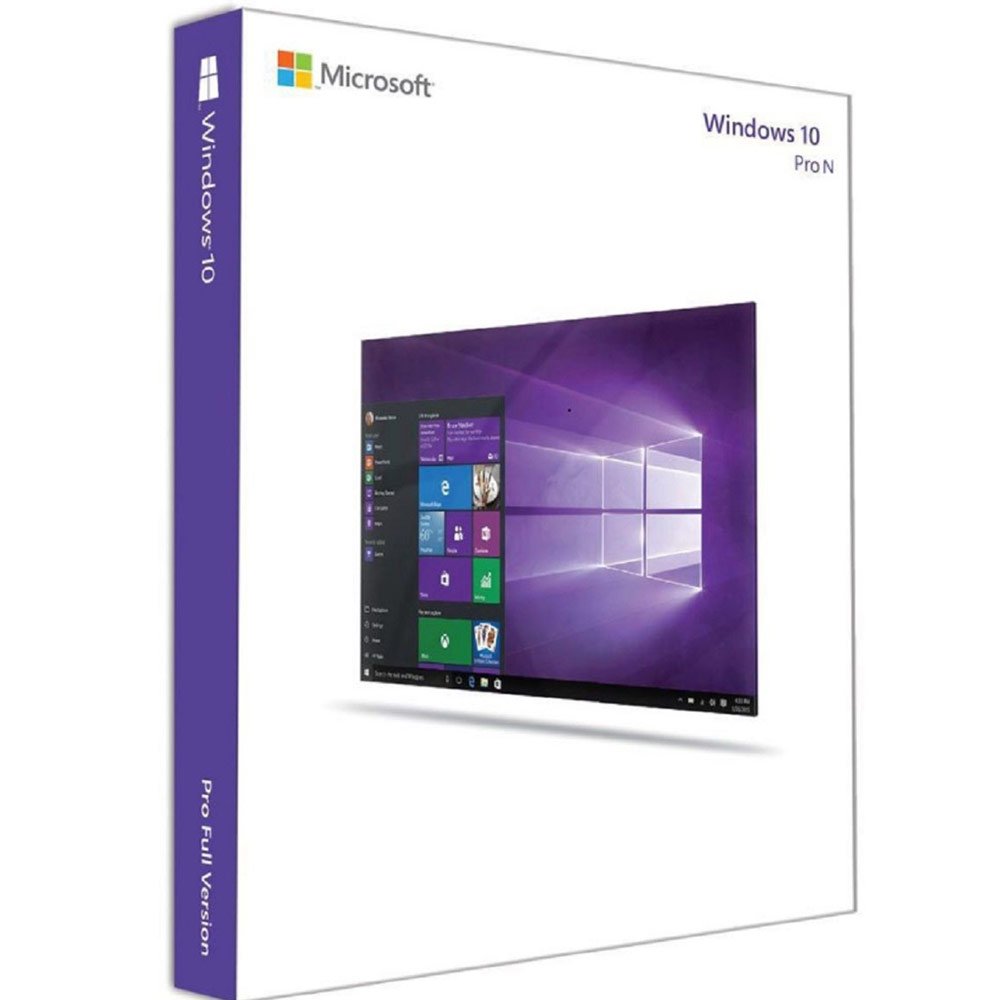
Windows 10 Pro N Product Key
Original price was: $149.99.$49.99Current price is: $49.99.
DOWNLOAD LINK INCLUDED
✅ 100% Genuine (Windows 10 key retail).
✅ Both 32/64 bit version support
✅ All languages
✅Online update support (ESU enrollment required after Windows 10 end of support).
✅Lifetime effective


<h2><strong>Windows 10 Pro N Product Key</strong></h2>
<p> </p>
<p><b>Note: </b>This product provides a license code for 1 PC.</p>
<p><b>Note: </b>This is the <b>Pro N</b><strong> edition of the Windows 10</strong> operating system, for the full specification and functionality list please visit <b><a href=”https://en.wikipedia.org/wiki/Windows_10_editions” target=”_blank” rel=”noopener”>this website.</a></b></p>
<p><b>Warning! </b>This product cannot be used to upgrade your system from another version!</p>
<p>If you encounter any issues during activation, please follow these steps:</p>
<ul>
<li>Open Start menu, type SLUI 04, and press enter,</li>
<li>Select your country, and call the toll-free number. Follow the instructions provided by the automated activation system to receive a confirmation ID and activate your OS</li>
</ul>
<p> </p>
<div style=”background:#fff3cd;border-left:4px solid #ffc107;padding:14px 18px;border-radius:4px;margin:16px 0″><strong>Windows 10 is a legacy operating system.</strong> Microsoft ended normal support for Windows 10 on October 14, 2025 — devices no longer receive free security updates through Windows Update unless enrolled in Extended Security Updates (ESU). This key still activates and runs Windows 10 normally. For new PC deployments, we recommend <a href=”https://softlicensedeals.com/product-category/windows-11/”>Windows 11</a> where your hardware supports it.</div>
<p>Windows 10 Pro is an edition of the Windows operating system developed by Microsoft and originally released in 2015. The ‘N’ stands for the version designed especially for European users. The ‘N’ edition features everything that is offered by the regular edition of Windows 10 Pro, excluding pre-installed multimedia programs like Windows Media Player, Video, Music, Voice Recorder, etc. It is worth mentioning that each of these programs can be later downloaded by the user, based on their personal preferences and needs.</p>
<p><strong>Windows 10 Pro N edition (and other “N” editions of Windows 10) are special editions introduced by Microsoft to meet European Commission’s anti-competitive law introduced in 2004.</strong></p>
<p><strong>These “N” editions of Windows 10 features the same functionalities as the non-“N” editions with some exceptions. Spherically, if you have Windows 10 Pro N edition, your version of Windows 10 will not come with some pre-installed media-related apps.</strong></p>
<p><strong>Furthermore, the “N” editions do not include Windows Skype, Media Player, and other media-related preinstalled apps.</strong></p>
<p><strong>In this guide, I will explain all the features not included in the Windows 10 Pro N edition (and other “N” editions of Windows 10). Most importantly, I will show you how to get these “missing” apps.</strong></p>
<p> </p>
<h2 id=”h-apps-not-included-in-windows-10-pro-n”><span style=”color: #ed1c24;”><strong>!! These Apps are Not Included In Windows 10 Pro N !!</strong></span></h2>
<h3 id=”h-skype”><strong><span style=”color: #ed1c24;”>Skype</span></strong></h3>
<p>Shocking, right? Yes, Skype is not pre-installed in any of the Windows 10 N editions. However, if you want to use Skype, you can access <a href=”https://web.skype.com/” target=”_blank” rel=”noreferrer noopener”>web.skype.com</a> on a browser.</p>
<p>Another option to get Skype is to install it from the Microsoft Store. Search for and open Microsoft Store. Then, on the top right of the Microsoft Store, search for Skype and install it.</p>
<h3 id=”h-windows-media-player”><strong><span style=”color: #ed1c24;”>Windows Media Player</span></strong></h3>
<p>Another app not pre-installed in Windows 10 Pro N is Windows Media Player. The implication is that the following are not available:</p>
<ol>
<li>You will not be able to play media files</li>
<li>Multimedia playback from a webpage or an app will not be possible</li>
<li>Sharing of music, pictures, and videos on a computer over the network will not be available</li>
</ol>
<h3 id=”h-groove-music”><strong><span style=”color: #ed1c24;”>Groove Music</span></strong></h3>
<p data-slot-rendered-dynamic=”true”>Groove Music is an app pre-installed in the standard Windows 10. This app is used to play digital music. Unfortunately, because the Groove Music app is not pre-installed in Windows 10 Pro N edition, you will not be able to use this app.</p>
<p>However, you can install the Groove Music app from the Microsoft Store.</p>
<p>To install Groove Music from the Microsoft Store, search for and open Microsoft Store app. Then, search Grove music, open the app and install it.</p>
<h3 id=”h-movies-tv-app”><strong><span style=”color: #ed1c24;”>Movies & TV App</span></strong></h3>
<p>While Groove Music plays digital music, the Movies & TV app is used to play digital video. This app is also not pre-installed in any Windows 10 “N” editions, including Windows 10 Pro N edition.</p>
<p>Fortunately, like the last 3 apps already discussed, you can install this app from the Windows Store app.</p>
<h3 id=”h-voice-recorder-app”><span id=”Voice_Recorder_App” class=”ez-toc-section”></span><strong><span style=”color: #ed1c24;”>Voice Recorder App</span></strong></h3>
<p>The Voice Recorder App is also missing from all “N” editions. The implication is that, if you use Windows 10 Pro N edition, you will not be able to record voice and sounds.</p>
<p>However, you can install the app from the Windows Store app.</p>
<h3><span style=”color: #000000;”><strong><br />
The system designed for your comfort</strong></span></h3>
<p>Microsoft created an easy-to-use operating system, without sacrificing its possibilities and functionality. The developers decided to use a familiar user interface, and increase its functionality with new features. Among them we can find a totally new, pre-installed system of intelligent security, which has been designed especially for Windows 10, to guarantee your safety while using your device. Additionally, the new Windows gives you a broad range of customization options, to make the system truly yours and unique.</p>
<h3><strong><span style=”color: #000000;”>Great multitasking possibilities</span></strong></h3>
<p>Microsoft Windows 10 Pro N is an amazing system for multitasking. Now you can move up to four different elements simultaneously, to organize the space on your screen. If that is not enough, you can easily create new virtual desktops and switch between them freely. In addition to that, while working you can always access all the important notifications which are gathered in one place, letting you keep the focus on your work.</p>
<h3><strong><span style=”color: #000000;”>Totally new internet browser</span></strong></h3>
<p>Another novelty that comes with Windows 10 system is the Microsoft Edge – an incredibly light and fast browser, designed especially for this release of the system. It features a new, improved search bar, reading mode, and many more. The home screen of the browser is fully customizable and it will greet you with all the news connected to your interests and hobby.</p>
<h3><strong><span style=”color: #000000;”>Environment for gamers</span></strong></h3>
<p>Windows 10 features a special Game Mode dedicated to all gamers. It guarantees the best performance during gaming sessions will help you to keep your focus on the action. Additionally, the Game DVR feature will let you record the most exciting moments of your gameplay and share them with your friends. It is also worth mentioning that you can play your Xbox One games on any device running with Windows 10 OS.</p>
<h3><strong>Key Features</strong></h3>
<ul>
<li>The best-operating systems by Microsoft, better than ever – everything that was best in previous systems, improved with new technologies</li>
<li>Incredibly useful multitasking possibilities – work on multiple virtual desktops, better, faster, and easier</li>
<li>Advanced, intelligent, in-built security – you don’t have to worry about buying any additional security</li>
<li>Microsoft Edge – fast and light web browser that will provide you with anything you need</li>
<li>Great for gamers – use the Game Mode feature designed to make the most of your machine and guarantee the best performance.</li>
</ul>
<h2><strong> Windows pro n</strong></h2>
<p><strong>Want to learn more?</strong> Read our guide on <a href=”https://softlicensedeals.com/windows-10-vs-windows-11-should-you-upgrade/”>Windows 10 Pro vs Windows 11 Pro: Should You Upgrade?</a> or see <a href=”https://softlicensedeals.com/retail-vs-oem-vs-mak-license-keys-difference/”>Retail vs OEM vs MAK License: What’s the Difference?</a></p>
Only logged in customers who have purchased this product may leave a review.
Related products
Microsoft Windows
Windows 10 Pro + Office 2019 Professional Plus Product Keys Bundle
Microsoft Windows
Microsoft Windows
Microsoft Windows
Microsoft Windows
Microsoft Windows
Microsoft Windows
Microsoft Windows
Reviews
There are no reviews yet.